Announcing the Improved Hint System
The hint system in Hexakai has received a significant upgrade! Previously, hints would simply highlight a cell and give a range of values, or just tell you that its value is wrong. Now, the hint system is smarter, more educational, and provides better visual feedback to help you learn and improve your gameplay, all without giving the game away.
What's New
Contradiction Detection
The hint system now detects contradictions on the board. If two cells in the same row or diagonal have been assigned the same value, the hint will alert you to this issue with a distinctive red border around the conflicting cells. It does not tell you which of the two are wrong, or if both are wrong. This helps you catch mistakes early before they cascade into larger problems.
Strategy-Based Hints
Instead of just giving you a list of potential answers, the new hint system leverages the strategies I myself created for the game. The system will analyze your board and provide hints based on these proven techniques:
Fundamental Strategies:
- Single Cell Strategy - When all but one cell in a strand is filled, find the missing value
- Single-Strand Strategy - Use process of elimination within a strand by looking at intersecting constraints
- Star Strategy - Combine information from intersecting rows and diagonals
Intermediate Strategies:
- Lonely Possibility Strategy - Find values that can only go in one cell within a strand
- Value-Centric Counting Strategy - Focus on the most frequent value and track where it can be placed
Advanced Strategies:
- Strand Possibility Symmetry Strategy - If pairs of cells exist with the same two possibilities in a single strand, no other cell in the strand can have either of those.
- Triangular Elimination Strategy - If a triangle is formed with three cells which can be assigned the same value and one of the strands which forms the triangle has exactly two possible locations for that value, the third possibility can be eliminated.
Each strategy hint includes a link to the corresponding section in our Strategies of Hexakai guide, so you can learn more about the technique being used.
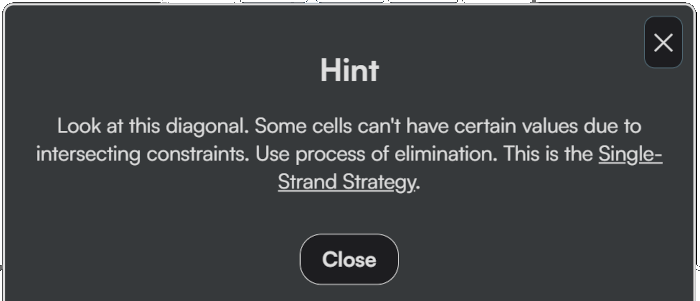
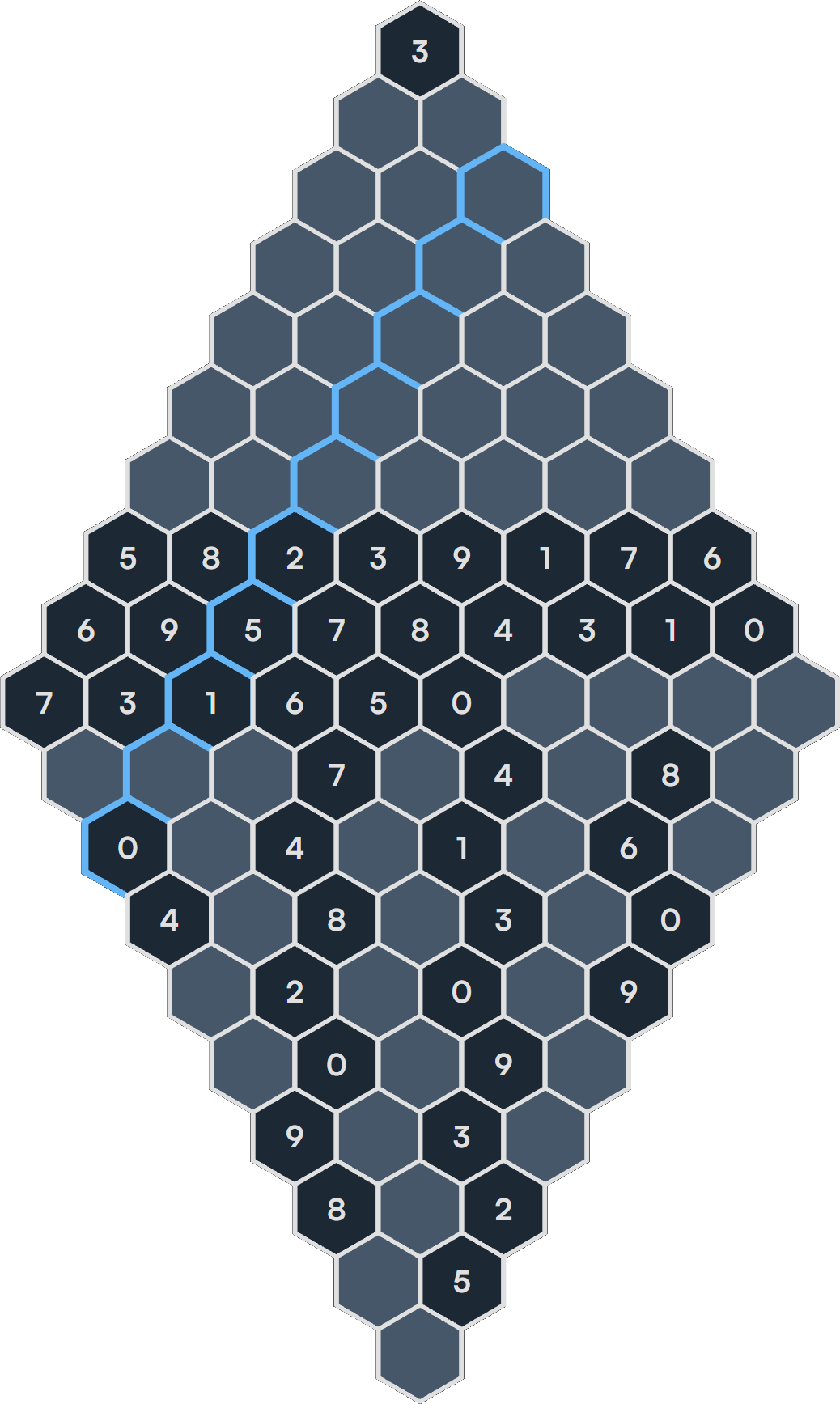
The hint above corresponds to the board below, where the entire diagonal is highlighted to show you exactly which cells are involved:
Improved Visual Highlighting
Hints now highlight cells with a visible border that stands out in every theme. The highlighting includes:
- The target cell - The cell where you should focus your attention
- Influencing cells - Other cells in the strand that help explain why the hint works
This makes it much easier to understand the context of each hint and see the relationships between cells.
This means you'll get the most useful hint for your current situation, helping you learn proper solving techniques rather than just revealing answers.
How to Use Hints
Click the Hint button while playing to receive a hint. The hint will:
- Display explanatory text describing what to look for
- Highlight the relevant cells on the board
- For strategy hints, provide a link to learn more about the technique
If a hint is already displayed and you click the Hint button again, it will automatically show you a new hint if you've already addressed the hint you were given, or if the board state has changed enough to warrant a new hint.
Learning Through Hints
One of the goals of this update is to make hints more educational. Instead of just telling you which value goes where, the new hints explain why a particular move works. Over time, you'll start recognizing these patterns on your own and won't need hints as often.
If you're new to Hexakai or looking to improve, I encourage you to use hints as a learning tool. Pay attention to which strategies the hint system suggests, then read about them in our strategy guide to deepen your understanding.
Happy puzzling!