Feature Announcement - Unified Hex Menu
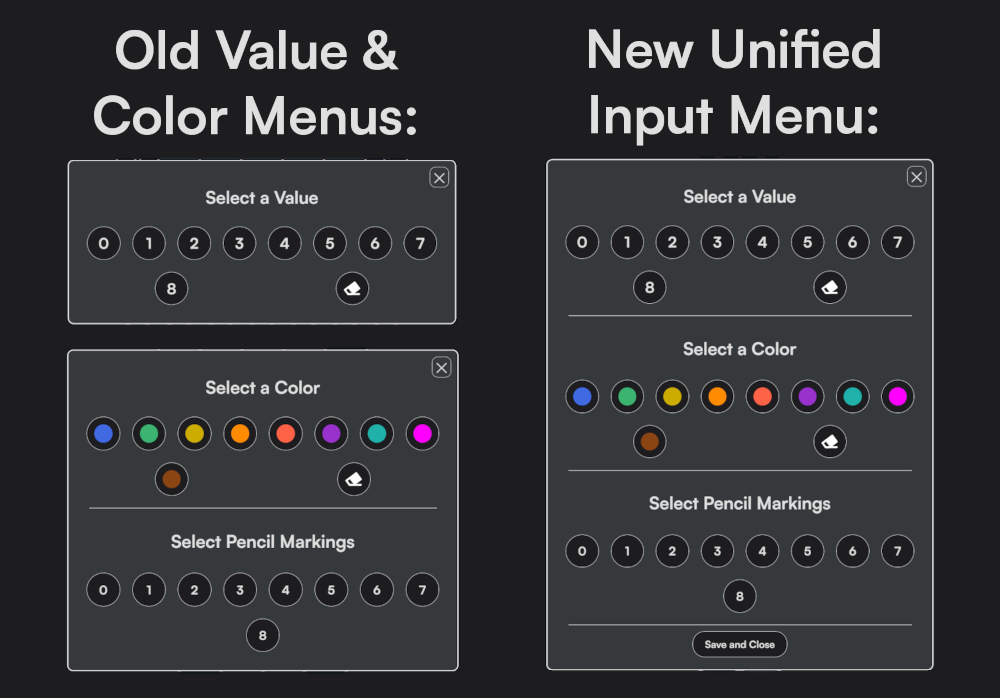
We've just launched a new feature: the unified hex menu! This feature allows you to input cell values, set cell colors, and set cell pencil markings in the same input panel. Before, you would need to open two separate menus to access all of these input controls, but now, it's all in a single place.
Enabling the Unified Hex Menu
This feature is not enabled by default. To enable this feature, click the settings icon on the top right of the app, scroll to Hex Menu, and select Unified. With this enabled, you'll be able to pull up the unified menu by left clicking or tapping the cell, and by right clicking, or long-pressing the cell.
In my opinion, the unified menu is a must-have when playing Hexakai on a PC or tablet, but the standard inputs are better when playing on phones or small tablets. You can always switch back and forth in the settings.
Comparison
The image below shows a comparison between the old menus and new unified menu: